A reusable project template for AI‑assisted coding
By Magnus Hultberg • 8 March 2026
Last edited: 6 April 2026
Over the past 12–18 months I’ve built a number of small web projects and personal trinkets with AI coding tools in the loop. Some of them I simply wouldn’t have been able to ship on my own, at least not without sacrificing my evenings for a long time.
With Claude Code I was quickly blown away by what I can now build on my own, but I quickly found myself doing the same kind of setup and basic admin every time: every new project started with the same “OK, how did I do this last time?” scramble, copying files around and tidying them up to fit with the new idea I was trying to make come alive.
This post is about the small, opinionated “project template” I ended up creating to fix that problem, and why I now reach for it every time I start something new.
The template lives here:
And the “how I actually use it” workflow is here:
I made this for myself first. If you like building with Claude / Cursor / Copilot without actually writing (much) code, maybe you will find it useful too.
Future Me kept starting from zero
When I started using Claude Code more seriously, my projects followed a similar arc:
I’d explain the idea to the AI, have it write a spec, and a high level step by step outline for building the first version. This is a habit I locked on to from the start. I imagine it's just been cemented after a life as a PM...
I’d have Claude use some framework and guide me on what tools and services to use.
I’d iterate, tweak the design, ship something I liked.
Some time later, I’d start a new project and… realise I barely remembered how I’d structured things, what had worked well, or how I’d talked to the model to get there.
Or worse, go back to an old project that I now wanted to change, and not really remember what we did. Or ask for something to be changed and see Claude quickly go off the rails, as if it wasn't aware of what how we got where we were or decisons made in the process.
Over time my process got more structured. My first project was its own little universe with bespoke conventions, ad‑hoc prompt files, and scattered notes. The AI was powerful, but my process was not. I was relying on my memory and vibes instead of a repeatable pattern. I would bring what worked with me to the next project.
Where I have ended up is this:
Leveraging the powers of Claude Code to the best of my knowledge by using CLAUDE.md and skills where it seems sensible.
A known structure to save “AI‑facing” assets: specifications, references, examples, instructions.
A consistent way to start a new project so I didn’t have to reinvent the wheel every time.
A set of technology preferences and "best practices" that I want the model to follow (eg a well defined testing strategy).
Something small enough that I would actually use it, not a giant “perfect system” I’d abandon after a week.
The useful‑assets project template is a reflection of that.
What the template actually is
The repository is simple: it’s all a just a bunch of folders and files, some of them actual templates with "placeholder texts" to be completed as the new project takes shape. It's not tied to any particular stack (although the reference fiels are very opinionated for what I have found works for me, and tech stack I typically start from), and there’s no clever code. It’s just a structure and a workflow for structuring the process of building with AI.
At a high level, it provides:
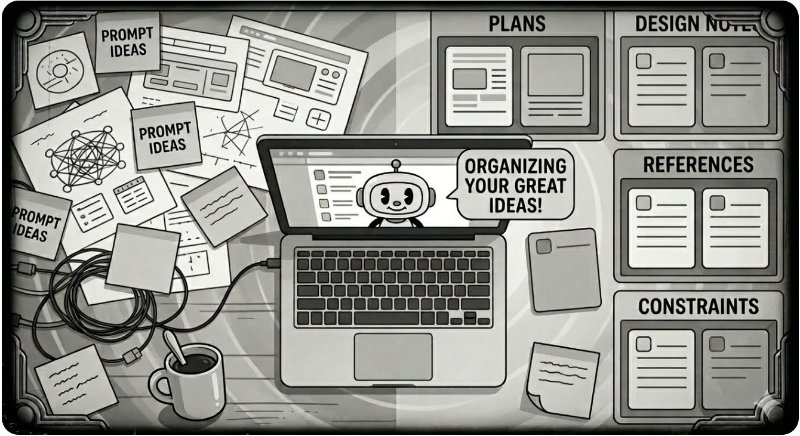
A set of folders and files for the “assets” you want to share with an AI assistant: things like high‑level project briefs, design notes, examples, references of "best practice", and constraints.
A repeatable set of instructions for how to apply the template into a new project (so you don’t use it once and forget it exists).
A light layer of documentation that makes it obvious what goes where, both for you and for the model.
The key file is TEMPLATE-INSTRUCTIONS.md, which walks through how I turn this into a new repo and start working with it. The goal is that Future Me can skim that file and be back in a repeatable productive groove in a couple of minutes instead of reverse‑engineering what Past Me “did last time”.
Evolve the assets as the project grows
As I refine the design or change direction in a project, I (tell Claude to) update the assets, not just the code. The idea is that the next time I come back, be it tomorrow or two weeks or six months later, I can bring the model up to speed by telling it to read those docs, and it will more or less pick up where we left off.
There is also some thought in the folder structure and use of CLAUDE.md files as "index files" to allow the model to find and read up on the right context when it's needed. Trying to be clever and frugal about token use and maintaining a sensible context window.
It’s mundane, but that’s the point: the scaffolding becomes muscle memory, and the AI does the interesting work on top.
Why this has worked bafflingly well for me
I feel the value has shown up in three places.
Better first versions: Early versions of my projects used to feel like Frankenstein prototypes, stitched together from random prompts. With a clear set of assets, and a structured implementation plan discussed and reviewed at the start of the project, the model sees a consistent picture of the project’s goals and constraints, and the first usable version feels closer to something I’d be proud to show someone.
Consistency when iterating and refactoring: The real test is not “can I get a v1 out?” but “can I keep improving this without making it weird?” Having a shared, written‑down context means that when I ask the AI to redesign a page, add a feature, or refactor a chunk of code, it tends to stay on‑design and on‑architecture instead of slowly drifting. Or making some new shit up.
Lower cognitive overhead between sessions: The template gives my Future Me a stable on‑ramp. I don’t have to remember how I “talked to the model” last time; I just reuse and update the same assets. It feels less like starting a new relationship with the AI each time, and more like continuing a long‑running conversation.
None of this is rocket science. It’s just a bit of discipline around where the “project brain” lives when you’re leaning heavily on AI. And in fact, this is very much aligned with how I think about delivering projects wherever I work, with or without AI assistance.
This is opinionated, not “the right way”
This is not a claim that everyone should structure their AI‑assisted projects like this. It’s just the setup that survived contact with reality for me after several builds.
If you’re the kind of person who:
Is comfortable letting an AI write big chunks of your code (or have to, because you like me are not a developer).
Cares about the shape and feel of the final product, and how it evolves over time.
Finds yourself starting similar projects more than once.
…then a tiny, reusable “useful assets” template might pay off for you as well.
If you do take a look, the repo is here: https://github.com/mannepanne/useful-assets-template
I’d love to see your versions of this
I’m curious whether other people are converging on similar patterns.
Do you start your AI assisted coding projects by writing a specification?
Do you maintain a dedicated “AI brief” inside each project?
Do you keep CLAUDE.md, reference documents and outputs under version control?
Do you have a completely different way of keeping your AI‑assisted work consistent over time?
If you have your own template, repo, or workflow for this, I’d love to see it. Feel free to send me a link or a short description of how you’re doing it differently.